Za11y Accessibility Scanner Chrome Extension
A fast, no-friction way to check accessibility on any webpage. Designed in collaboration with a developer and built using AI-assisted tools, rethinking the traditional design-to-development workflow along the way.
Project Overview
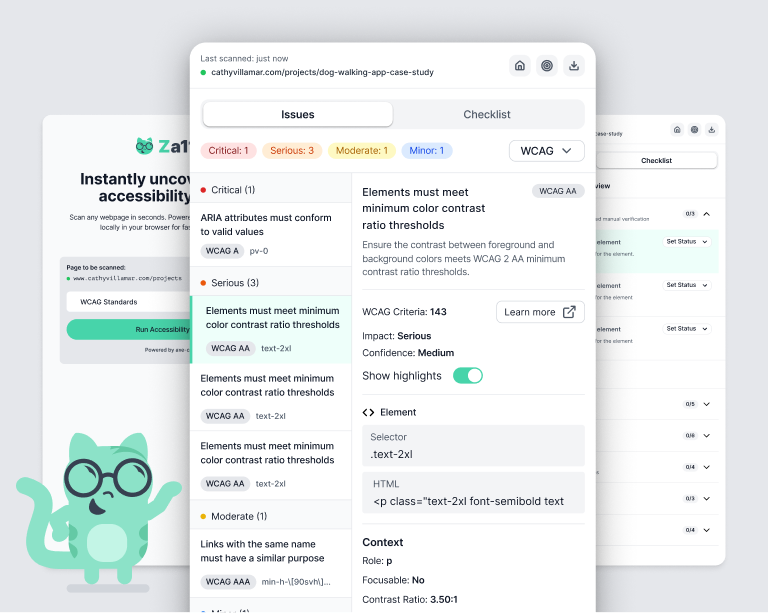
Za11y (pronounced “Zall-eye”) is a fast, lightweight Chrome extension for checking accessibility directly in the browser. It works on any website or app, stores no user data, and delivers clear, easy-to-digest results in seconds—without the complexity of traditional accessibility tools.
Challenges
- Translating accessibility complexity into usable insights
- Designing for both designers and developers
- Balancing visibility vs UI noise (on-page highlighting)
- Bridging automated and manual testing
- Designing within Chrome extension constraints


Download Your Results
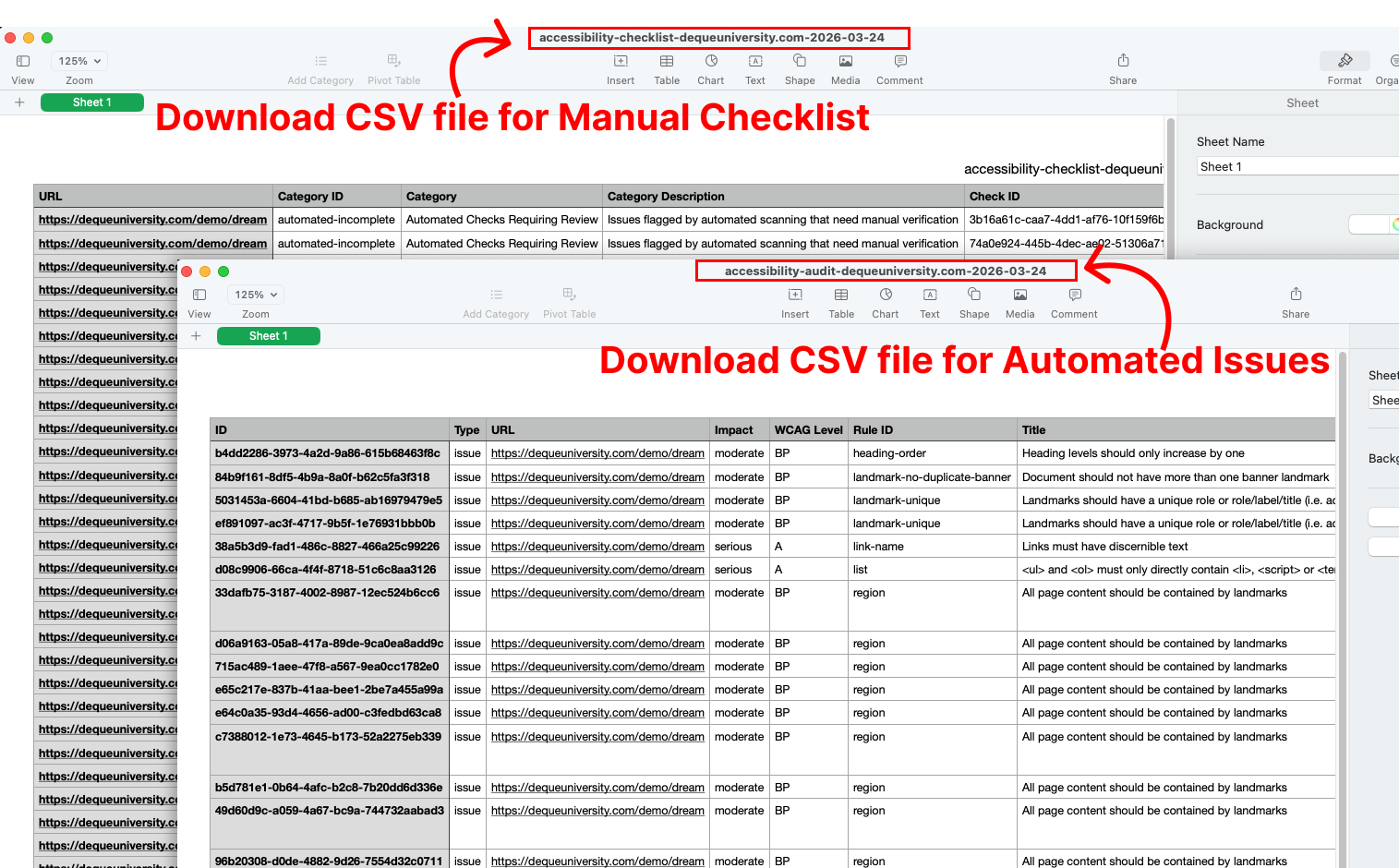
Providing a downloadable report was a critical part of supporting real workflows. Accessibility work doesn’t end at identifying issues; designers and developers also need a clear way to document progress, share findings, and demonstrate compliance.
We designed exports to translate scan results and manual checks into structured, usable data. This makes it easier to track remediation, collaborate across teams, and directly support deliverables like VPAT reports, turning insights into something actionable, traceable, and ready for compliance.
Design Thinking
We designed Za11y for ourselves first, focusing on the workflows we use every day, and built it to support designers, developers, and QA working on the web.
User Flows
Building this as a Chrome extension allows users to stay fully in context. No switching tools. No breaking the flow. This helps to keep cognitive overload in check. Next, considering the different roles we’re designing for, what do they all need and expect from a tool like this. What would make it easy and useful enough that it could become part of a regular workflow.
UI Kit
Starting with Tailwind CSS as a foundation, I set out to create a UI system that was both efficient to build and cohesive to use. Rather than over-engineering a design system, I focused on a small, intentional set of colors, typography, and reusable components that could scale with the product while keeping the interface clean and predictable.
At the same time, I wanted the product to feel approachable. Accessibility tools can often feel overly technical or intimidating, so I explored ways to introduce personality without adding noise. This led to the creation of Za11y, our cat mascot.
Za11y appears contextually, guiding users when no automated issues are found and reinforcing the brand on the initial screen. The goal wasn’t to decorate the interface, but to create moments of clarity and warmth in an otherwise technical workflow, making the experience feel more human without distracting from the task at hand.
Collaboration & Build
I partnered with a developer to bring Za11y to life, combining design and engineering perspectives to create a tool that works seamlessly across design, development, and QA workflows.
We collaborated closely throughout—iterating on flows, refining how results are structured, and prioritizing what made it into the MVP versus future iterations. Many decisions came down to balancing clarity, simplicity, and functionality.
Using AI tools like Cursor and Claude, I was able to prototype and test ideas quickly—bringing working solutions into discussions instead of static designs. This helped us move faster, stay aligned, and make decisions in real time.
The result was a more streamlined product and a faster path from idea to a working extension.
Exploring Future Iterations
The goal of this project was to design and build a Chrome extension end-to-end, and along the way, scope creep was very real. Some features we intentionally left out of the MVP:
- Theming (including a fully designed dark mode)
- Notes on individual issues (for reporting and collaboration)
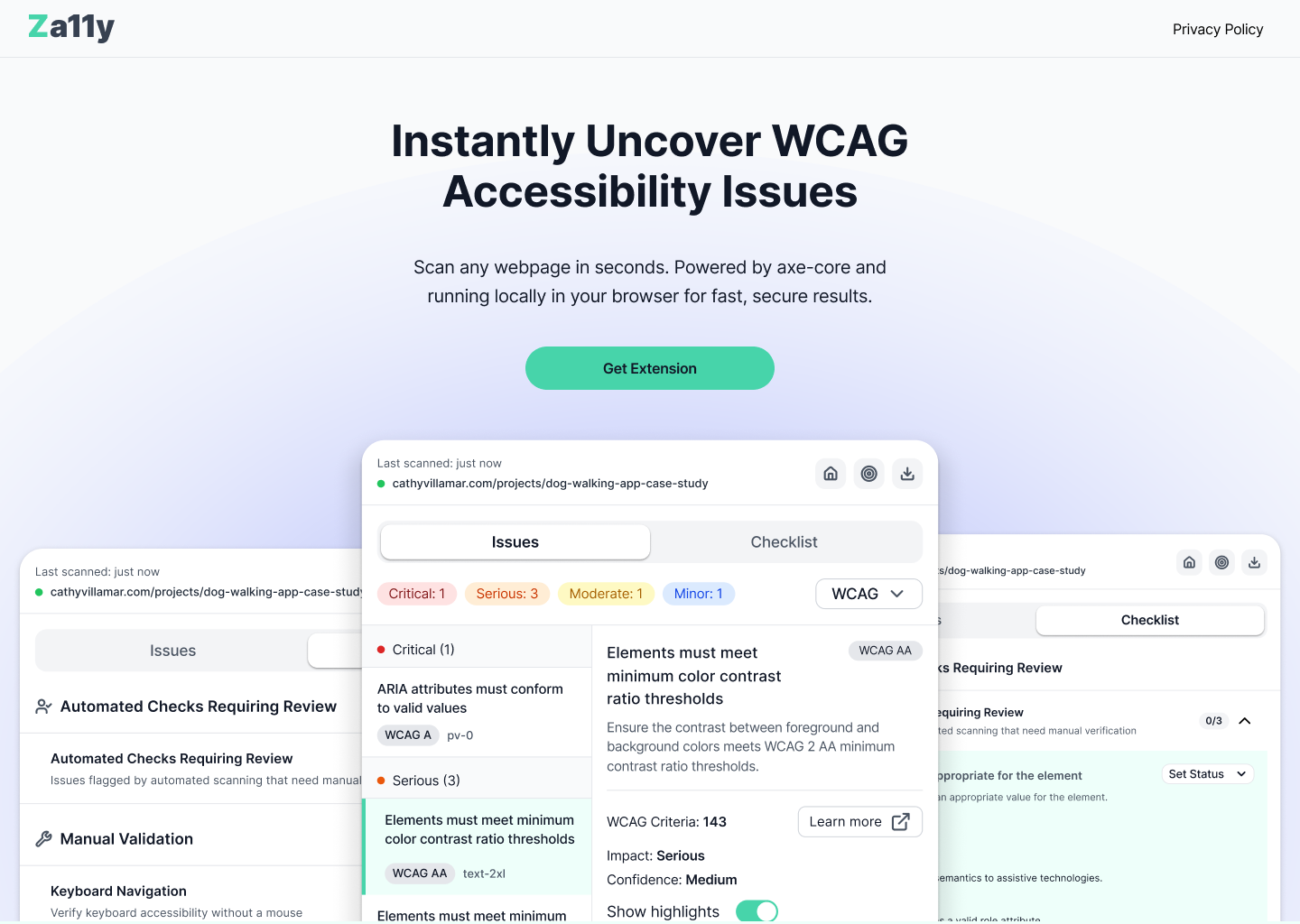
Za11y Website & Chrome Extension
To complete the necessary compliance to submit our Chrome Extension we needed to have a website and our privacy policy live. This was a great opportunity for me to continue expanding my skills and using Claude to vibe code our website. This experience has pushed me past my fear of the terminal and has really improved the way I think about designing for the web.
Using the Figma MCP server and Claude I was able to build this website quickly and easily. I think I spent the most time combing through what Claude built and making sure it was pixel perfect, I guess that’s just the designer in me. 😉
Explore the Za11y website and Chrome extension.
Final Thoughts
Completing a full VPAT document in a previous role, fundamentally shifted how I think about accessibility, how it's really a design discipline that improves usability for everyone. It highlighted how difficult it can be for teams to not only identify issues, but to document and communicate them effectively.
That insight led to the idea for a Chrome extension: a lightweight, in-context tool that allows designers, developers, and QA to quickly surface accessibility issues and export results for documentation and compliance workflows. Our idea was to meet teams where they already work, in the browser, reducing the friction between discovery, validation, and reporting.
Partnering closely with an engineer was key to shaping this product. It pushed me to think more deeply about technical constraints, shared ownership, and how design decisions translate into real implementation. I also leaned into a more hands-on, AI-assisted “vibe coding” approach, which allowed me to move beyond traditional handoff and actively contribute to building the product.
This experience has reshaped how I work—bringing design and development closer together, accelerating iteration, and creating a more integrated, collaborative workflow from concept through execution.